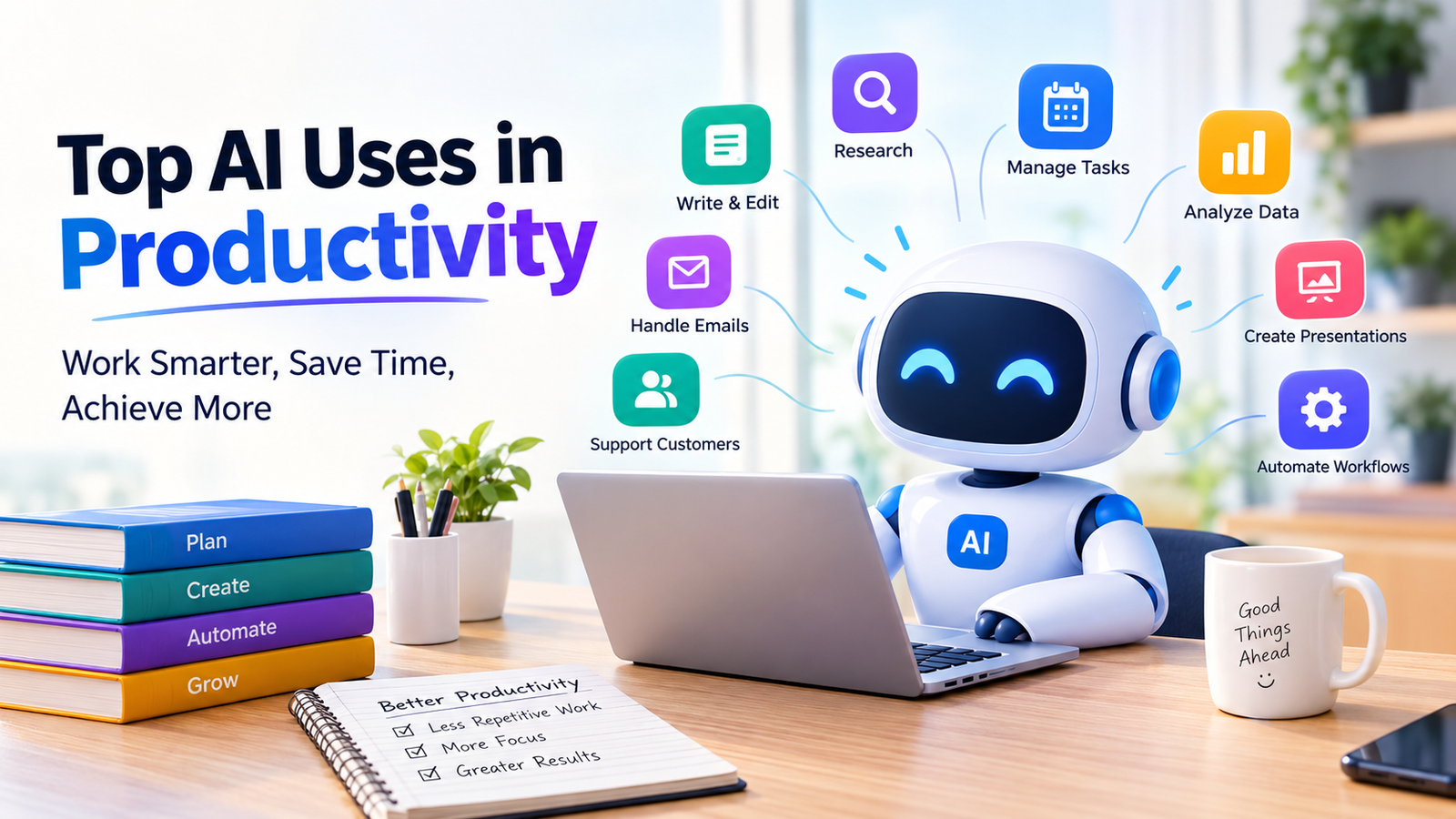
Table of Contents
Top AI Uses in Productivity: 12 Practical Ways to Work Smarter in 2026
Artificial intelligence is changing how people write, research, manage projects, analyze data, and complete everyday tasks. What once required hours of manual work can now begin with a simple prompt, an AI assistant, or an automated workflow. However, the real value of AI isn’t just producing more work in less time. It’s helping you spend less time on repetitive tasks and more time on work that requires judgment, creativity, and problem-solving.
Whether you’re a student, freelancer, office worker, content creator, or business owner, understanding the top AI uses in productivity can help you make better decisions about which tools to use and where to apply them.
From drafting emails to summarizing meetings and automating business processes, AI productivity tools offer practical ways to organize your work. The key is to choose the right tool for the task, check its output, and measure whether it actually saves time.
This guide explores 12 practical AI applications in productivity, compares popular tools, explains real-world workflows, and covers the limitations you should understand before relying on AI.
What Is AI Productivity?
AI productivity refers to using artificial intelligence to complete tasks more efficiently, organize information, reduce repetitive work, and support better decisions. It combines AI assistants, generative AI, machine learning, and automation to improve how individuals and teams work.
Traditional productivity software helps you organize information. For example, a calendar records appointments, a spreadsheet calculates totals, and a project management app tracks deadlines. AI productivity software adds capabilities such as generating content, interpreting instructions, summarizing documents, and recommending next steps.
Consider a simple example. A traditional spreadsheet can calculate monthly sales totals when you enter the correct formula. An AI assistant may also help you write the formula, explain the results, identify unusual figures, and draft a summary of the sales report.
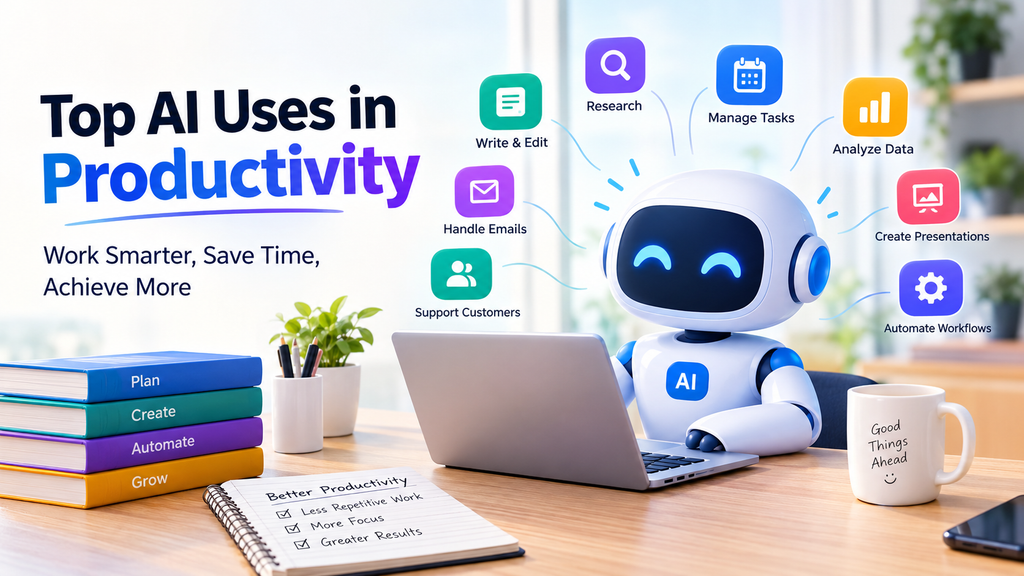
AI Use In Productivity
How Artificial Intelligence Improves Everyday Work
AI can support productivity in several ways:
- Generation: Drafting emails, reports, presentations, and other content.
- Summarization: Turning lengthy documents or discussions into concise notes.
- Analysis: Identifying patterns in data and explaining complex information.
- Planning: Breaking projects into manageable tasks and organizing priorities.
- Automation: Connecting applications and handling repetitive steps.
- Assistance: Answering questions, explaining concepts, and suggesting solutions.
However, AI doesn’t automatically make every task faster. If a task requires highly accurate information or involves sensitive decisions, reviewing the output may take considerable time. The goal is to improve the entire workflow, not simply generate an answer quickly.
AI Assistants, Generative AI, and Automation: What’s the Difference?
These terms are related, but they describe different capabilities.
| Technology | Main purpose | Example |
|---|---|---|
| AI assistant | Helps users complete tasks through instructions and conversation | Drafting a client email |
| Generative AI | Creates new text, images, code, or other content | Creating a presentation draft |
| Predictive AI | Estimates outcomes or identifies patterns from data | Forecasting product demand |
| AI automation | Uses AI within a workflow to process information or trigger actions | Classifying incoming support requests |
| AI agent | Performs multiple connected steps toward a goal within defined permissions | Researching information and preparing a report for review |
These categories can overlap. A single application may offer several capabilities, while some automation tasks work perfectly well without AI.
Top AI Uses in Productivity
The most useful AI applications solve specific problems. Instead of choosing a tool because it has impressive features, identify the task that consumes too much time and determine whether AI can improve it.
Writing and Editing Content Faster
Writing is one of the most accessible AI uses in productivity. AI writing assistants can help you create first drafts, improve clarity, adjust tone, and organize scattered ideas into a readable document.
For example, a freelancer who spends considerable time responding to client inquiries can use an AI assistant to draft replies based on the client’s questions, the project’s scope, and the freelancer’s pricing. After reviewing the draft, the freelancer can send a more polished response without starting from scratch.
AI can also help with:
- Blog outlines and article drafts
- Business proposals and project reports
- Email replies and follow-up messages
- Grammar, spelling, and readability improvements
- Social media captions and content repurposing
- Summaries of long documents
Useful tools: ChatGPT, Claude, and Grammarly.
The best approach is to provide context, explain the intended audience, specify the desired tone, and describe the expected format. Instead of asking for a generic email, explain who will receive it, what you need to communicate, and what action the reader should take.
AI-generated writing still needs human review. Check names, figures, claims, tone, and any information that could mislead the reader. A polished paragraph isn’t necessarily an accurate one.
Researching Information and Summarizing Documents
Research can consume hours when you need to review multiple sources, compare information, and identify the most important findings. AI research assistants can speed up the initial process by summarizing documents, organizing notes, and helping you explore unfamiliar subjects.
Imagine a business student researching international market entry. Instead of reading every report in full before deciding which sources deserve closer attention, the student can summarize relevant documents, extract important figures, and build a list of questions for further investigation.
AI can assist with:
- Summarizing PDFs and lengthy reports
- Comparing information across documents
- Extracting key points from research papers
- Creating study notes from supplied materials
- Organizing findings into tables
- Preparing research briefs and outlines
Useful tools: NotebookLM and Perplexity.
NotebookLM can help users work with supplied source materials, while Perplexity offers AI-assisted search and source-linked answers. Their capabilities depend on the product and current plan.
One important rule: verify important claims against the original sources. AI may misinterpret a document, overlook an exception, or present an uncertain claim too confidently. When research supports a business decision or academic paper, retain the original links and references.
Managing Tasks and Prioritizing Work
A long to-do list doesn’t tell you what deserves attention first. AI task management tools can help turn broad goals into smaller actions, identify dependencies, and organize work around deadlines.
Suppose you’re preparing a product launch. The project includes competitor research, a landing page, promotional graphics, email campaigns, and performance tracking. An AI assistant can turn that goal into a structured task list, suggest a sequence, and identify which activities need to happen before others.
AI task management can help with:
- Breaking projects into smaller steps
- Identifying urgent and important tasks
- Creating project checklists
- Estimating task dependencies
- Drafting weekly action plans
- Preparing progress summaries
Useful tools: Notion and Microsoft Planner.
AI recommendations should support your judgment rather than replace it. A tool may not understand that a client meeting, university examination, or unexpected technical issue takes priority over a task that appears more urgent on paper.
Start with a clear project goal, a realistic deadline, and the resources available. Then review the proposed plan before committing to it.
Planning Schedules and Managing Time
AI scheduling tools can help organize calendars, suggest time blocks, and identify conflicts. They are particularly useful for people who balance meetings, deadlines, personal commitments, and focused work.
For example, a freelancer might reserve the morning for writing, the afternoon for client calls, and the final part of the day for administrative work. An AI scheduling assistant can help arrange these activities around existing calendar commitments, depending on its integrations and permissions.
AI for time management can support:
- Calendar organization
- Meeting scheduling
- Time-blocking plans
- Deadline reminders
- Focus-session planning
- Workload distribution
Useful tools: Reclaim and Motion.
Before adopting a scheduling tool, check which calendars it supports and whether its automatic changes match your preferences. Calendar access also raises privacy considerations, particularly when appointments contain confidential client or business information.
A useful schedule should reflect how you actually work. Filling every available minute with tasks may look efficient, but a realistic plan also leaves room for breaks, unexpected requests, and work that takes longer than expected.
Summarizing Meetings and Creating Action Items
Meetings often generate valuable information that becomes difficult to track afterward. AI meeting assistants can transcribe conversations, summarize key points, and identify follow-up actions when the necessary recording or transcription features are available.
For instance, after a marketing meeting, an AI tool might organize the discussion into campaign decisions, outstanding questions, assigned tasks, and deadlines. The team can then review the summary instead of reconstructing the conversation from memory.
Typical uses include:
- Meeting transcription
- Summaries of important discussion points
- Action-item extraction
- Follow-up email drafts
- Searchable meeting notes
- Identification of unresolved questions
Useful tools: Otter.ai and Fireflies.ai.
AI-generated meeting notes aren’t always complete. The system may confuse speakers, miss technical terms, or interpret a suggestion as a final decision. Someone should verify names, commitments, and deadlines before distributing the notes.
Always follow applicable recording laws, workplace policies, and participant-consent requirements. Don’t record confidential conversations without proper authorization.
Managing Emails and Everyday Communication
Email remains a major part of many jobs, yet writing, reading, and organizing messages can interrupt more important work. AI email tools help users draft replies, summarize long threads, and adjust communication for different audiences.
A customer may send a long email describing several problems. Rather than reading it repeatedly, you can use an approved AI assistant to identify the main concerns, summarize the requested actions, and prepare a draft response.
Common applications include:
- Drafting professional email replies
- Summarizing long email threads
- Rewriting unclear messages
- Adjusting tone for clients or colleagues
- Creating follow-up reminders
- Organizing recurring communication
Useful tools: Google Gemini and Microsoft Copilot.
Features and integrations vary across subscriptions and workplace configurations. Before selecting a tool, check whether it works with your email platform and which permissions it requires.
Never send an AI-generated message without reviewing it. Confirm that it answers the actual question, uses the correct details, and doesn’t make promises you cannot keep.
Analyzing Data and Working With Spreadsheets
AI can make spreadsheet work more accessible to people who don’t have advanced technical skills. It can explain formulas, help clean data, suggest chart types, and summarize patterns in business reports.
Consider a small online store with monthly sales records. An AI assistant can help write a formula to calculate revenue by product category, suggest a pivot table, or explain why sales increased in one period and declined in another.
Useful applications include:
- Writing and explaining spreadsheet formulas
- Cleaning inconsistent data
- Categorizing records
- Summarizing business metrics
- Identifying unusual values
- Preparing charts and reports
Useful tools: Microsoft Excel and Google Sheets.
AI-generated analysis needs validation. Incorrect assumptions, duplicate records, missing values, and unsuitable formulas can produce misleading results. Check the calculations against the source data, especially when the findings affect budgets, forecasts, or financial decisions.
For sensitive business data, use approved tools and follow your organization’s privacy policies.
Creating Presentations and Visual Content
Preparing a presentation involves more than designing attractive slides. You must organize the message, choose relevant evidence, simplify complex ideas, and create visuals that support the audience’s understanding.
AI presentation tools can help transform a report or outline into an initial slide structure. Image-generation and design tools can also support illustrations, visual concepts, and marketing assets.
Practical uses include:
- Turning outlines into slide drafts
- Summarizing research for presentations
- Generating design concepts
- Creating social media graphics
- Producing visual explanations
- Repurposing existing content into new formats
Useful tools: Canva and Gamma.
For example, a student preparing a presentation on international business can begin with a researched outline, use AI to suggest slide titles, and then create charts and visuals that explain the findings. The student should still verify the data and make sure the presentation reflects the assignment requirements.
Avoid filling slides with generic AI-generated text. A strong presentation communicates one main idea per slide and uses visuals to make that idea easier to understand.
Automating Repetitive Tasks and Workflows
Workflow automation is one of the most practical AI applications for businesses because it can reduce the manual effort required to move information between systems.
Imagine a company that receives inquiries through an online form. A workflow can send the information to a customer relationship management system, notify the relevant employee, and prepare a confirmation email. AI can add another layer by classifying the inquiry or summarizing the customer’s needs.
Potential uses include:
- Moving form submissions into business systems
- Sending notifications when tasks require attention
- Preparing recurring reports
- Classifying customer requests
- Summarizing incoming documents
- Routing inquiries to the appropriate team
Useful tools: Zapier and Make.
Not every automated workflow needs AI. If a task follows clear rules, ordinary automation may be cheaper, easier to test, and more reliable. AI becomes useful when the workflow needs to interpret text, classify information, or handle variation in incoming requests.
Start with a small process. Test it using realistic examples, set clear permissions, and include safeguards for errors. Keep human approval for actions that could send sensitive information, change important records, or create financial commitments.
Coding, Debugging, and Technical Problem-Solving
AI coding assistants can help developers write code, understand unfamiliar functions, investigate errors, and create tests. They can also support beginners who want to understand programming concepts.
For example, a developer facing an error message can provide the relevant code and ask an AI assistant to explain likely causes. The assistant may suggest a correction and identify additional tests that could reveal the underlying problem.
AI coding applications include:
- Generating code examples
- Explaining unfamiliar code
- Suggesting potential bug fixes
- Drafting unit tests
- Writing technical documentation
- Helping with routine scripting
Useful tools: GitHub Copilot and ChatGPT.
AI-generated code isn’t automatically secure or correct. Test it, review dependencies, check for vulnerabilities, and understand what the code does before using it in production. Never paste private keys, passwords, or confidential source code into an unapproved service.
The strongest results come when developers use AI as a coding assistant rather than treating it as a substitute for technical judgment.
Learning New Skills and Understanding Complex Topics
AI can support learning by explaining difficult concepts, creating practice questions, organizing revision plans, and adapting explanations to a learner’s current level.
A student studying business statistics, for example, might ask an AI assistant to explain standard deviation using a simple sales example. The student can then request practice problems, attempt them independently, and ask for feedback on the reasoning.
Useful applications include:
- Explaining unfamiliar concepts
- Creating study plans
- Generating practice questions
- Summarizing study notes
- Providing examples and feedback
- Organizing learning goals
AI can make learning more interactive, but it can also provide incorrect explanations. Check important facts against course materials, textbooks, and reliable references.
Use AI to strengthen your understanding, not to bypass the learning process. Solving problems yourself and explaining concepts in your own words remain important ways to build lasting knowledge.
Improving Customer Support and Sales Productivity
Customer support and sales teams often spend significant time answering recurring questions, preparing follow-up messages, reviewing customer histories, and updating records. AI can help reduce some of that workload while allowing employees to focus on conversations that need personal attention.
For example, a sales representative can use an approved assistant to summarize a customer’s previous interactions and prepare a follow-up email based on the latest conversation. A support team can use AI to classify incoming tickets and suggest responses for an agent to review.
Practical applications include:
- Drafting responses to common questions
- Summarizing customer histories
- Preparing sales call briefs
- Creating follow-up messages
- Categorizing support tickets
- Routing requests to the right team
AI should not invent product features, promise refunds without authorization, or make sensitive decisions without appropriate oversight. Customer information must also be handled according to privacy policies and applicable laws.
When implemented carefully, AI can help teams respond more consistently without making customer communication feel robotic.
For Further Ai knowledge Visit the Aibetterwork
1 thought on “Top AI Uses in Productivity: 12 Practical Ways to Work Smarter in 2026”